

Related Posts



Podcasts


You know video matters. You’ve seen the stats, watched the webinars, heard the experts shout about it from every rooftop. But here’s the problem: your office isn’t exactly a soundstage. Maybe it’s a shared workspace, a back corner near the coffee machine, or a desk in a room with zero privacy.
Many businesses hesitate to dive into video because they think they need a full production crew and a dedicated studio.
But you can build a professional-looking, highly functional video setup in just about any office space, even if you’re working with nothing more than a blank wall and a bit of floor space.
In this guide, you’ll learn how to go from zero to a full video studio, whether you’re starting with a laptop and a dream, or planning a polished, permanent buildout. We’ll cover everything from choosing the right spot, to essential gear, to future-proofing your setup as you grow.
Finding the Right Spot in Your Office
Before you buy any gear, you need to find the right place to set it up. It doesn’t have to be big or fancy, just workable.
Here’s what to look for:
- Low noise levels: Audio is one of the most common pain points in video production. Choose a space that’s away from ringing phones, office chatter, or anything mechanical like HVAC units or printers.
- Lighting control: Natural light might look great in theory, but it’s inconsistent and hard to control. Ideally, pick a space where you can manage lighting fully, whether that means blocking out windows or avoiding areas with harsh overhead fluorescents.
- Access to power: You’ll need outlets for lights, cameras, laptops, and other gear. Make sure there are enough sockets nearby or plan to use a safe, reliable extension lead.
- A neutral or intentional background: Your background doesn’t have to be a branded set. A clean wall, some shelving, or even a minimal corner setup. The goal is to avoid anything too busy or distracting.
If space is tight, you can still make it work. A mobile setup, where your camera, lights, and mic are mounted on a rolling cart, lets you wheel in your studio, shoot, and roll it back into storage when you’re done.
Once you’ve found your spot, it’s time to look at what equipment you actually need to start recording.
Essential Equipment for a Basic Setup
We get this question all the time.
Rather than overstuff this article with product recommendations, we’ve created a dedicated, always-updated list that covers cameras, lighting, audio, and more.
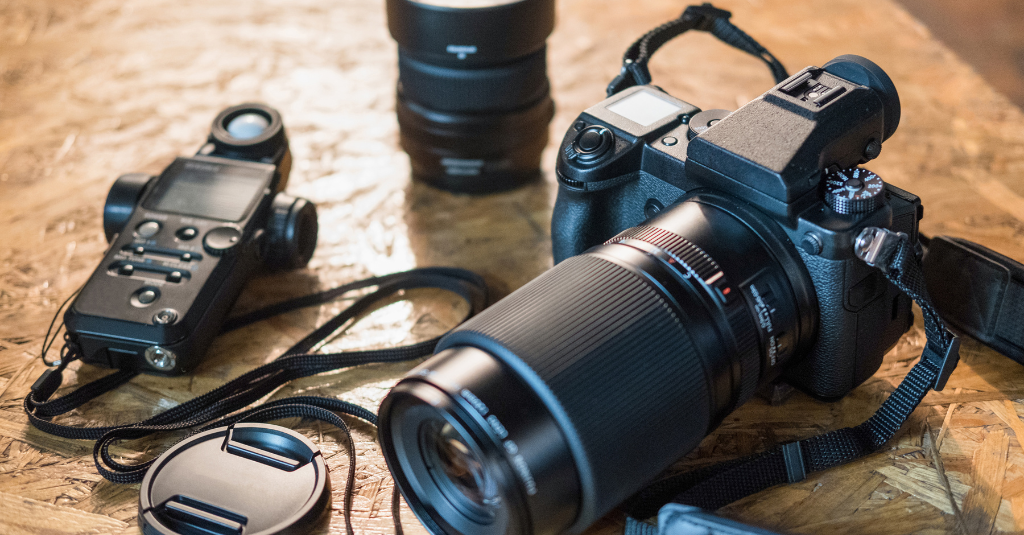
7 Video Production Equipment Essentials Your Business Needs in 2025
Tips for Optimising Audio and Video Quality
Even with basic gear, small adjustments can significantly improve the quality of your video content.
Here’s how to make the most of your setup:
- Reduce echo: Empty rooms with hard surfaces bounce sound. Soften the space with rugs, curtains, soft furniture, or even acoustic panels.
- Get your mic close: The closer your mic is to your mouth (within reason), the better the sound. A lavalier mic clipped to your shirt or a directional mic just out of frame will dramatically improve clarity and presence.
- Balance your lighting: Use your key light at a 45-degree angle to your face. Fill shadows on the opposite side with a softer light or a reflector. A small backlight can help separate you from the background and create a more polished look.
- Frame your shot correctly: Keep the camera at eye level, with your head taking up the top third of the frame. Avoid too much headroom or placing yourself dead centre unless it’s stylistically intentional.
- Watch your background: Remove clutter. Add depth with plants, books, or soft lighting. Make sure nothing distracting is happening behind you. A tidy background helps people focus on your message.
- Use consistent settings: Manual settings on your camera will give you better consistency than auto modes. Lock exposure, white balance, and focus before filming if possible.
These small tweaks can elevate your video production significantly, without spending more money.
The Borrowed Space Setup (Beginner)
This is where most teams start—no dedicated room, no renovations, just a clean desk, a quiet corner, and a few pieces of gear that get the job done.
Maybe it’s a conference room between meetings. Maybe it’s the quietest spot near the back of the office. Either way, the point is this: you don’t need a big production to start making video work.
Here’s what it might look like:

A solid beginner setup includes:
- A neutral, uncluttered background. Bookshelves, plants, or a simple backdrop go a long way in making the space feel intentional without being distracting.
- Soft, even lighting. A single softbox or ring light is enough to give your subject a polished look without complex rigging.
- A basic microphone. A wired or wireless lapel mic instantly improves your audio quality over any built-in mic.
- Time and team awareness. Book your shoot times like you would a meeting. Let your team know ahead of time to avoid interruptions and reduce ambient noise.
This type of setup works especially well if you’re just getting started and need something flexible and low-cost. It’s also ideal for small teams that share spaces and can’t leave gear set up permanently.
A typical starter kit might include a tripod, lapel mic, and one light source.
The Branded Wall Setup (Intermediate)

What this looks like in practice:
- A visually intentional background. This could be a branded wall, some thematic props, or even a simple DIY backdrop with your logo, company colours, or relevant decor. Think of it as your visual signature, something recognisable and on-brand.
- Set-and-forget gear. Keep your camera, lights, and mic in place so you’re not wasting time setting up every shoot. The easier it is to hit record, the more consistent your team will be.
- Upgraded lighting. Move beyond one light to a soft three-point lighting setup. It gives your subject shape, depth, and polish.
- Better audio control. Soundproofing the space a bit—using foam panels, thick curtains, or carpet—helps cut echo. A wireless lav mic or a shotgun mic takes your audio up a notch.
This setup is ideal for businesses creating content regularly, including sales videos, customer FAQs, LinkedIn clips, and who want a space that always looks sharp without having to reinvent the wheel every time.
It’s professional without being overbuilt. It’s reliable without being rigid. And most importantly, it lets your team show up consistently and confidently.
The Scalable Studio Setup (Advanced)
his is your full buildout. A dedicated room, purpose-built for video, with mounted gear, sound treatments, and multiple zones for different types of content.
You’re not just squeezing video into the office anymore; you’re designing a studio around your workflow.
What a scalable setup typically includes:
- Multiple filming zones. One space for talking-head videos, another for interviews, maybe even a green screen area or podcast corner. Each is pre-lit, pre-framed, and ready to go.
- Mounted equipment. Cameras on tripods or ceiling mounts, lights fixed in place, and cables managed neatly. The whole room stays clean and consistent, so your team never has to reconfigure anything between shoots.
- Sound treatment throughout. Foam panels, rugs, soft furniture, and acoustic insulation make a huge difference in cutting echo and improving audio clarity.
- Styled sets. Think bookcases, plants, mounted screens, branded visuals—whatever fits your brand and keeps the content visually engaging. Each wall in the room becomes its own backdrop.
- Tech upgrades. Multiple cameras, pro-grade microphones, LED grid lighting, and a control panel or switcher for managing shoots with ease.
This setup is for teams producing high volumes of video. Whether it’s sales enablement content, thought leadership series, podcasting, or green screen work—this space supports it all.
It’s an investment, but it pays off in speed, quality, and repeatability. When your studio is this dialled in, creating content becomes a fast, focused part of your process—not a production headache.
So, What’s Next?
You don’t need a perfect space. You just need a space that works.
Whether it’s a borrowed corner, a branded wall, or a full-blown studio, the best video setup is the one your team actually uses. Because video isn’t about looking like a production company—it’s about showing up consistently, answering real questions, and building trust with your buyers.
Start small if you need to. Build up as your confidence and content grow. What matters most is making the process easy enough that your team keeps hitting record. That’s how momentum builds. That’s how results happen.
Next, read our guide on the 7 types of videos that help sales reps close deals more often.
7 Types of Video Marketing to Help Sales Reps Close More Deals