

Related Posts



Podcasts



If you’re like most HubSpot users, you’ve got a few nurturing workflows ticking away in the background… and no clear idea if they’re doing anything.
Maybe you see open rates that look fine on paper, but nothing changes in your pipeline.
The leads don’t move. Sales still say the same thing: “They’re not ready.”
That’s the quiet frustration of lead nurturing.
The truth is, most HubSpot lead generation and nurturing workflows are built around what’s convenient for marketers, not around how buyers actually make decisions.
When that happens, the automation runs, but the relationship doesn’t grow.
If you’re stuck and don’t know how to use HubSpot for lead generation with nurturing workflows, then this guide can help you get back on track and start bringing in more leads.
In this article, you’ll learn what an effective lead nurturing workflow looks like in HubSpot based on what we’ve built for real clients: how it works, when to trigger it, and what to say at each stage.
What Makes a Lead Nurturing Workflow “Work” in HubSpot?
A lead nurturing workflow only works when it serves the buyer’s journey, not your marketing calendar.
The goal isn’t to send more emails or pump out more ads; it’s to send the right message at the right moment, based on what that person has already told you through their behaviour.
In HubSpot, that means your nurturing should reflect four simple principles: timing, segmentation, personalisation, and intent.
Here’s what each of those principles means in detail:
1. Timing: Don’t Rush the Relationship

The biggest mistake most teams make is treating every download like a “buy now” signal.
But they usually don’t know that a whitepaper reader isn’t the same as someone who’s visited your pricing page three times.
HubSpot lets you build delays and triggers based on actions (like page visits, email engagement, and deal stage changes) so you can move leads forward only when they’re ready.
That timing is what makes nurturing feel natural, not pushy.
2. Segmentation: Talk to People, Not Lists
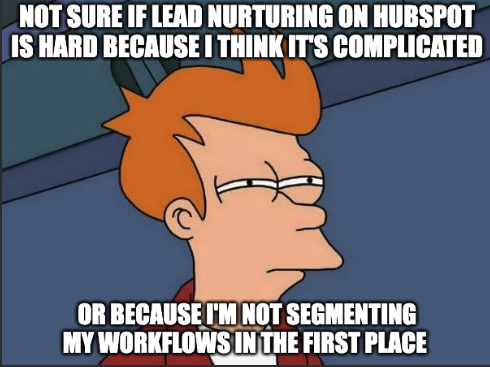
If you’re relying on one workflow to make all the magic happen for you, we’ve got some news for you: a single, generic workflow will always underperform.
Instead, what you want to do is segment your contacts by what they care about (product line, role, or challenge) and create nurture paths that speak directly to each of these intentions.
For example, a Marketing Manager might want campaign insights, while a CEO wants ROI clarity. HubSpot’s smart lists and conditional logic make this easy, but only if you’ve taken time to plan your segments first.
When you segment your lead nurturing workflows on HubSpot, you make your strategy much more precise and personalised for every sub-audience you’re targeting.
Together, these two elements make it easier for you to convert people who get your messages into leads.
3. Personalisation: Go Beyond First Names
Here’s what most teams get wrong about personalisation: it isn’t about editing email fields and automating “Hi [First Name]” tabs… instead, it’s all about catering to relevance.
For example, if someone viewed your pricing page or attended a webinar, you can personalise your interaction by doing something as simple as acknowledging it. Reference what they’ve done and why it matters.
Dynamic content blocks, smart subject lines, and contextual CTAs inside HubSpot can make even automated emails feel one-to-one if you feed them with real buyer data.
4. Intent: Align Nurture with Lifecycle Stages
Lead nurturing on HubSpot isn’t as simple as a one-size-fits-all effort because:
- Top-of-funnel leads need education and trust.
- Middle-of-funnel leads need clarity and comparison.
- Bottom of funnel leads need proof and urgency.
Map each stage to your HubSpot lifecycle stages and design workflow goals around movement, not clicks or opens. When nurturing supports those transitions, sales conversations happen faster and more naturally.
When all four principles work together, nurturing stops feeling like “marketing noise” and starts working like a guided conversation where you know what to do when leads come in.
This brings a higher level of intention and effectiveness to your strategy, which allows you to troubleshoot and optimise it more accurately with clear direction.
The 5 Best HubSpot Lead Nurturing Workflows (and Why They Work)
In HubSpot, the difference between a mediocre workflow and one that actually creates sales conversations comes down to intent and sequence.
Here are five proven workflows that use these two elements and consistently turn quiet contacts into qualified leads, based on what we’ve built for hundreds of clients:
1. The Welcome & Education Workflow
First impressions matter, so this workflow introduces your brand voice and builds trust quickly without pushing a sale.
Start with a warm “thanks” email, follow up with helpful content (not product pages), and end with a light invitation to explore more.
This set-up leverages HubSpot’s workflow goals and lifecycle stages to graduate only genuinely interested contacts, keeping your database clean and focused on engagement.
Example flow:
- Lead submits form → trigger workflow
- Immediate “thank you + value add” email
- Wait 3 days → send educational blog or video
- Wait 4 days → send relevant case study
- Goal: mark contact as an engaged lead if they click twice or visit the pricing page
Best for: New leads who’ve just downloaded a guide, booked a demo, or subscribed to your blog.
2. The Pain-Point Nurture Sequence
With this lead nurturing workflow, you’re meeting the buyer where they already are: frustrated and searching for answers. Each email should address one pain, offer a helpful resource, and lightly guide them toward a solution.
The Pain-Point Nurture sequence uses HubSpot’s branching logic and behavioural data to personalise nurture flow, so there’s no need for manual filtering.
Example flow:
- Enrol contacts based on a form topic or a page they visit.
- Email 1: Empathy + quick-win content (e.g., blog on “Why your leads don’t convert”)
- Email 2: Educational deep dive (guide or video)
- Email 3: Case study on solving that pain
- Goal: increase engagement, move to MQL
Best for: Leads who’ve shown interest in a particular problem (e.g., poor lead quality, low ROI).
3. The Product Interest Workflow
The Product Interest Workflow is a format that capitalises on buyer intent and gives you a window of opportunity to nurture your leads when they transition from cold to warm.
Instead of a generic “download” follow-up, you continue the conversation based on what they viewed.
With this workflow, you’re tying HubSpot website analytics directly into your nurture logic, so your sales team hears from leads at peak curiosity instead of reaching out to them weeks later.
Example flow:
- Trigger when contact visits pricing page or product page 2+ times
- Immediate follow-up with an “inside look” or comparison guide
- Wait 2 days → send a case study relevant to that product/service
- Wait 3 days → prompt to book a short call or demo
Best for: Leads browsing pricing, product pages, or feature comparisons.
4. The Re-engagement Workflow
You might not see it yet, but your database is full of dormant opportunities that you can easily convert with a gentle nudge.
In this case, a well-timed Re-engagement Workflow can wake up cold contacts before you lose them completely.
This workflow can be worth implementing because HubSpot lets you automate database hygiene while still giving dormant contacts a personal touch, saving ad spend and list health in the process.
And, when done right, this leads to a significant bump in quality leads at a lower cost.
Example flow:
- Trigger for contacts after 90 days of inactivity.
- Email 1: “Still interested in [topic]?”: conversational check-in.
- Email 2: Helpful resource or quick diagnostic quiz.
- Email 3: Last-chance offer or unsubscribe link.
Best for: Leads who haven’t opened or clicked in 60 to 90 days.
5. The Sales-Assist Workflow
The Sales-Assist Workflow is a format that bridges the gap between marketing and sales, automating gentle nudges while keeping reps informed.
This workflow connects HubSpot’s lead scoring, automation, and CRM alerts, ensuring sales acts on signals fast, and marketing sees which workflows actually drive pipeline performance.
Example flow:
- Trigger when a contact reaches MQL threshold
- Send helpful content that answers buying questions (“How to choose a HubSpot partner”).
- Notify sales rep via task or Slack integration.
- Wait 3 days → follow-up email from rep or automation offering chat/demo.
Best for: Leads marked as MQLs; engaged but not yet in direct contact with sales.
Each of these workflows works because it ties directly into HubSpot’s native data, not just email sequences. You’re using CRM triggers, behaviour tracking, and scoring logic to nurture automatically while keeping every interaction human and timely.
When used together, these workflows create a complete nurture ecosystem: one that builds trust, tracks intent, and hands sales a better-prepared lead.


How to Set Up HubSpot Workflows (Step by Step)
4 Common HubSpot Lead Nurturing Mistakes That Can Kill Momentum
Even the most developed of workflows can quietly fail if the logic behind them is off.
You can have perfect timing, clean lists, and clever subject lines… but if the intent isn’t right, the nurture will stall.
Usually, we see four big mistakes we see that cost teams qualified leads and sales-ready conversations when they generate leads and nurture them with HubSpot:
1. Over-Automation, Under-Connection
HubSpot makes automation easy… but sometimes, it’s too easy.
Many marketers fall into the trap of letting workflows run on autopilot without ever checking how contacts feel on the receiving end.
Doing this can leave you with generic emails, irrelevant offers, and a sense that you’re talking at people, not to them.
To avoid this common lead nurturing mistake, you can review every workflow quarterly.
Ask yourself: “Would this email make sense if I received it today?” If the answer is no, then tweak the trigger, tone, or timing.
2. Ignoring Sales and Marketing Alignment
Nurturing is supposed to prepare leads for sales, not hoard them.
A common issue we see whenever we work with clients is when marketing holds leads too long, or sales gets them too early.
Either way, the buyer loses trust.
To fix this issue, it helps to define your lifecycle stages clearly by answering questions like:
- What makes a lead an MQL?
- How should the marketing team verify a lead before passing it over to sales?
- When does the sales team take over?
After answering these questions, you can use HubSpot’s lead scoring and notifications to align both sides. When sales and marketing share one definition of “ready,” conversions rise fast.


How to Align Your Sales & Marketing Teams
3. Measuring the Wrong Metrics
Open rates and click-throughs tell part of the story… but not the part that matters.
The goal of nurturing, at the end of the day, goes far beyond engagement; the end goal is progression that turns cold leads into sales.
If contacts open every email but never move from Lead to MQL, something’s off.
One of the best ways to avoid this problem is to regularly measure success by lifecycle movement and influenced revenue.
In HubSpot, you can use “workflow goals” and attribution reports to track how nurturing impacts deals instead of making predictions based on inbox activity alone.
4. Forgetting the Human Touch
Automation can’t replace conversation.
If every touchpoint is system-generated, you lose the warmth that builds trust. Buyers notice when no one’s actually paying attention.
You can fix this problem by blending automation with human follow-up. Have sales reps record short personalised videos, or trigger a manual outreach task at key engagement points.
When you fix these five mistakes, your nurture workflows start feeling less like campaigns and more like conversations.
And once that happens, you can finally see the thing every marketer wants from HubSpot: leads that don’t just engage but convert.

Why Businesses Fail at Lead Generation With HubSpot
The Real Workflows Start With You
Every lead you’ve ever generated is either growing warmer or going cold right now. There’s no neutral.
The longer you leave your leads on autopilot, the colder your pipeline becomes… but the fix isn’t complicated.
You already have the tools. HubSpot can automate timing, trigger human follow-up, and measure what works.
What it can’t do is think strategically for you; that part’s yours.
If you take one thing from this article, let it be this: nurturing is about progress, not persistence. Every workflow you build should move a lead one step closer to trust instead of focusing on moving leads one email deeper into a sequence.
So start with one workflow. Review it. Tighten the goal, sharpen the triggers, add a human touch.
You’ll be surprised how quickly clarity turns into conversion.

How to Tell If You’re Using HubSpot to Its Full Potential